

If your Android phone keeps switching between 5G and 4G and you feel like your daily data is disappearing much faster than usual, you’re definitely not alone. This problem is becoming more common, especially in regions where 5G coverage is still uneven. While the phone constantly searches for a stronger signal, it keeps hopping between networks, which affects speed, stability, and even background data usage.
When a device struggles to hold a stable 5G connection, the modem works harder than normal. This constant switching not only causes fluctuations in internet speed but can also quietly drain your data and battery throughout the day. Many users assume it’s an operator issue, but in reality, your phone’s network mode plays a big role here.
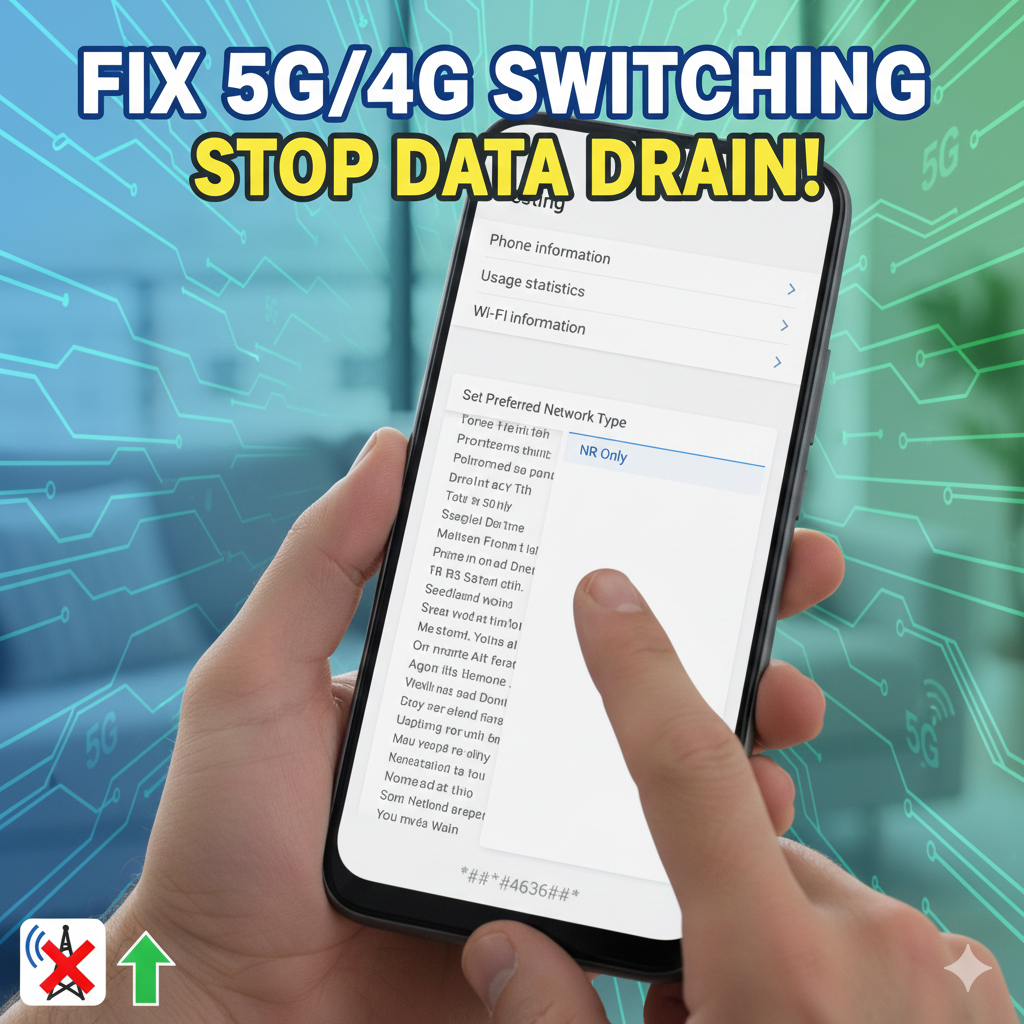
There’s a simple hidden setting on Android phones that can help solve this. Open the dial pad on your phone and enter *#*#4636#*#*. As soon as the code is completed, a hidden information menu will appear automatically. From this menu, tap on Phone Information and look for the network selection options. Here, you’ll find an option called NR Only.
Selecting NR Only forces your phone to stay connected to the 5G network instead of constantly falling back to 4G. This can result in more stable speeds, fewer signal drops, and better control over daily data usage, especially if you live in an area with decent 5G coverage. Users often notice smoother browsing and reduced background data drain after enabling this mode.
However, it’s important to use this setting wisely. If you are in a location where 5G coverage is weak or inconsistent, forcing NR Only may result in no signal at all. In such cases, you can easily return to the default network mode from the same menu.
This quick tweak is a useful workaround for anyone frustrated with unstable 5G performance. For more Android tips, smartphone guides, and network-related updates, you can explore other helpful articles on PassionateGeekz.
Stay connected, thanks for reading, your feedback helps us improve, and make sure to add a comment below for any suggestions or questions.

One Comment